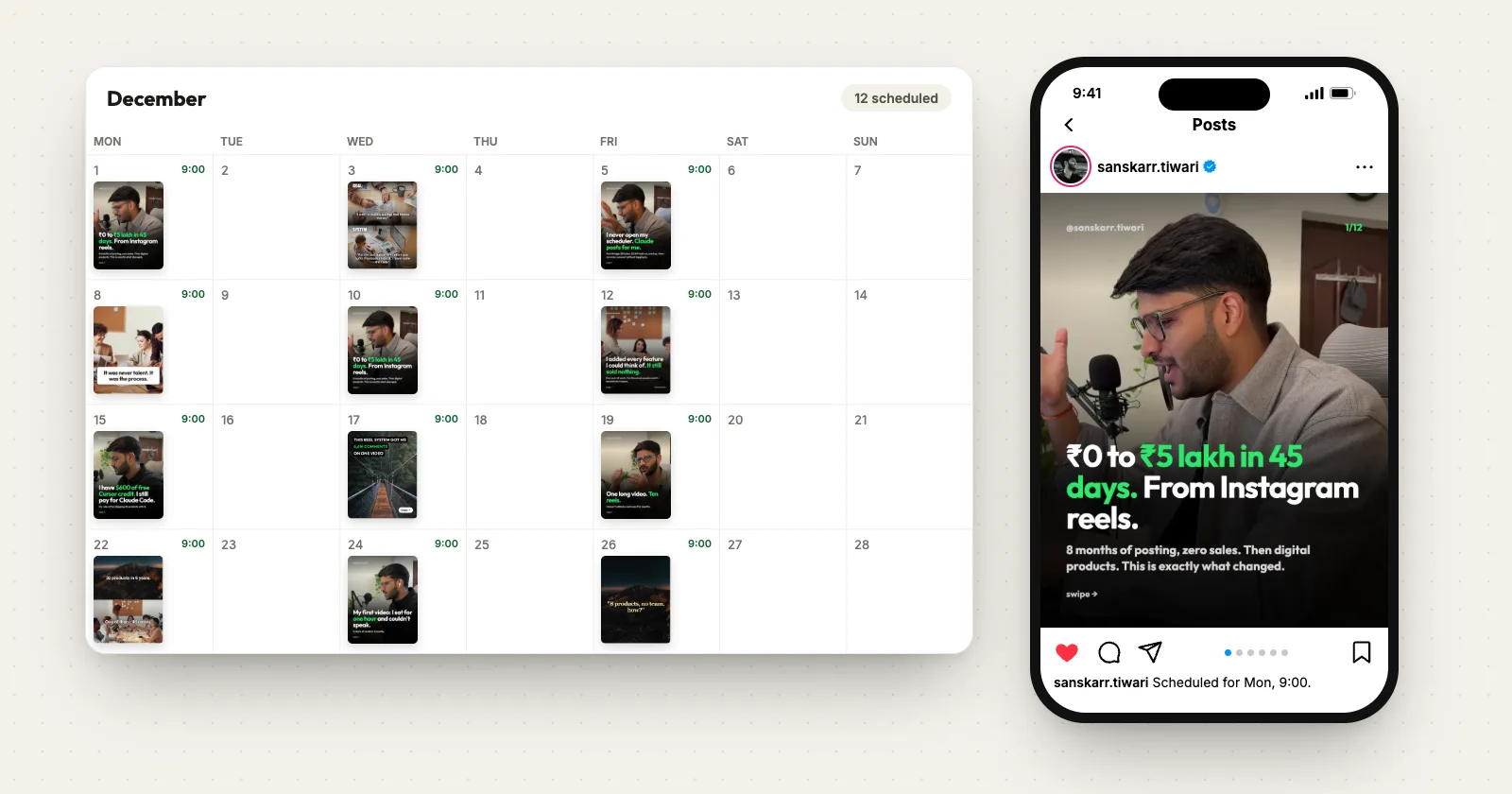
How to Plan a Month of Instagram Content in One Hour
Sit down once, pick your topics, turn them into 12 carousels and schedule all of them. A step-by-step one-hour plan that keeps your feed posting three times a week for a month.
InstaCarousel Team
Why one hour beats "I'll post something today"
Most accounts don't fail because the posts are bad. They fail because the posting stops. You post four days in a row, a busy week hits, and the feed goes quiet for a month.
Batching fixes that. Instead of deciding what to post every single day, you make every decision once, in one sitting, and let the schedule do the rest. One hour of focused work gives you 12 carousels, three a week, for the next four weeks.
Here's the exact hour, minute by minute.
| Block | Time | What you walk away with |
|---|---|---|
| Pick your 3 topics | 5 min | The three things you'll talk about all month |
| Write 12 post ideas | 10 min | A list of 12 titles |
| Make the carousels | 35 min | 12 finished carousels |
| Schedule everything | 10 min | A full month on your calendar |
Minutes 0–5: pick 3 topics you know cold
Don't start with "what should I post?". Start with what you want Instagram to do for you, then pick three topics that serve it.
- Want clients? Your process, your clients' common mistakes, and results you've delivered.
- Selling a product or course? The problem it solves, objections people have before buying, and before/after stories.
- Growing followers? Myths in your niche, tools you use, and quick how-tos people will save.
- Building a personal brand? Lessons you learned the hard way, opinions, and behind the scenes.
Three topics × four weeks = you never stare at a blank page again.
Minutes 5–15: write 12 post ideas
Write four ideas under each topic. Don't make them perfect, just make them specific. These formats work for almost any business:
- 3 mistakes [your customers] make with [thing]
- How I [result] in [timeframe], step by step
- [Myth] is wrong. Here's what actually works.
- The [tool / checklist / template] I use for [task]
- What nobody tells you about [topic]
- [Number] questions to ask before you [buy / hire / start]
Twelve lines in a notes app is all you need.
Minutes 15–50: turn each idea into a carousel
Now open InstaCarousel and go down your list. For each idea:
- Pick a template you like. Use the same one or two all month so your feed looks consistent.
- Type the idea into the AI chat, for example "Rewrite all slides: 5 ways a small business can get clients from Instagram".
- Approve the changes and skim each slide. Fix anything that doesn't sound like you.
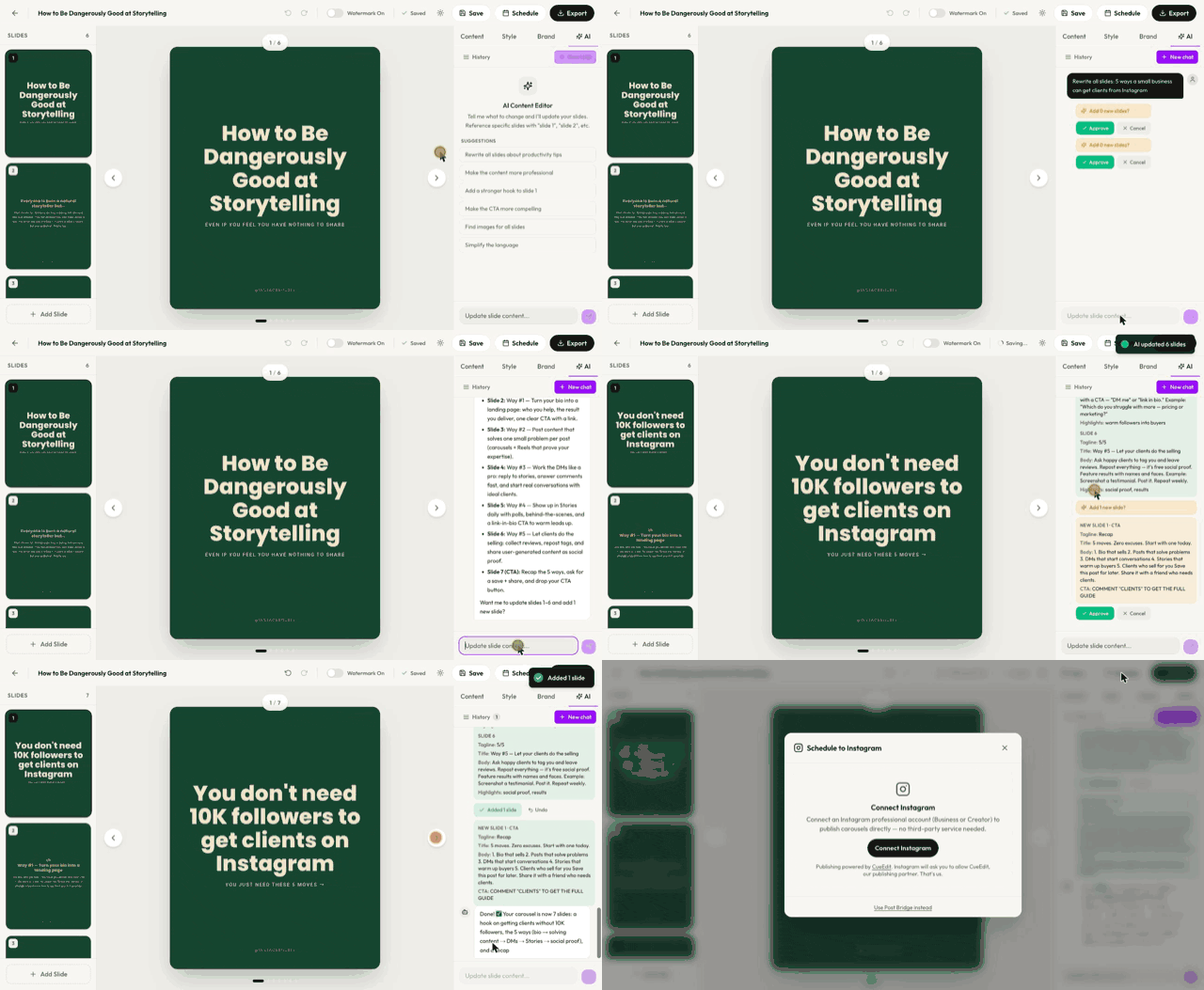
That's about three minutes per carousel once you get into a rhythm.
Spend an extra 30 seconds on slide 1
The first slide decides whether anyone swipes. If it's weak, nothing else matters. A few first slides that make people stop:
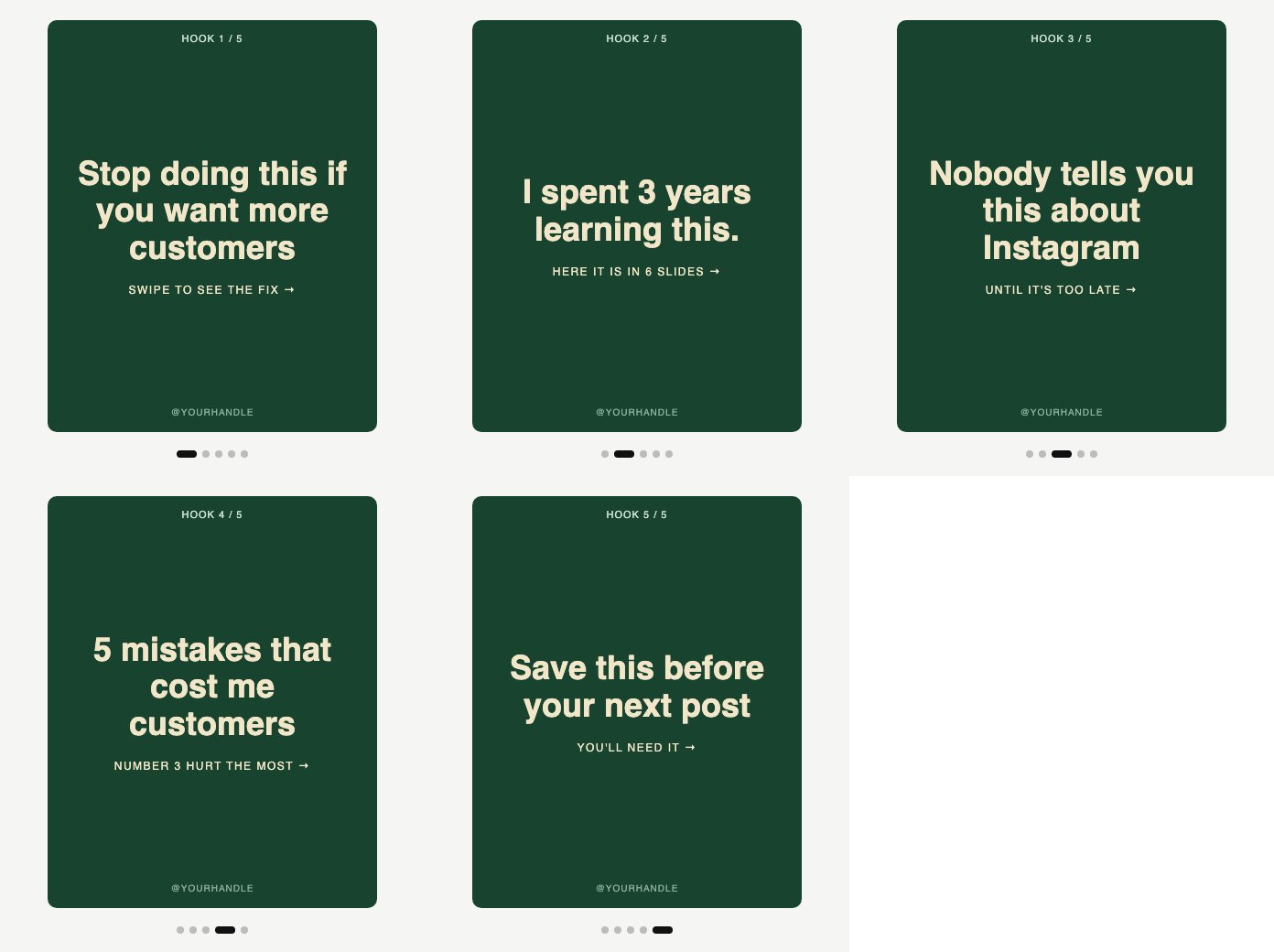
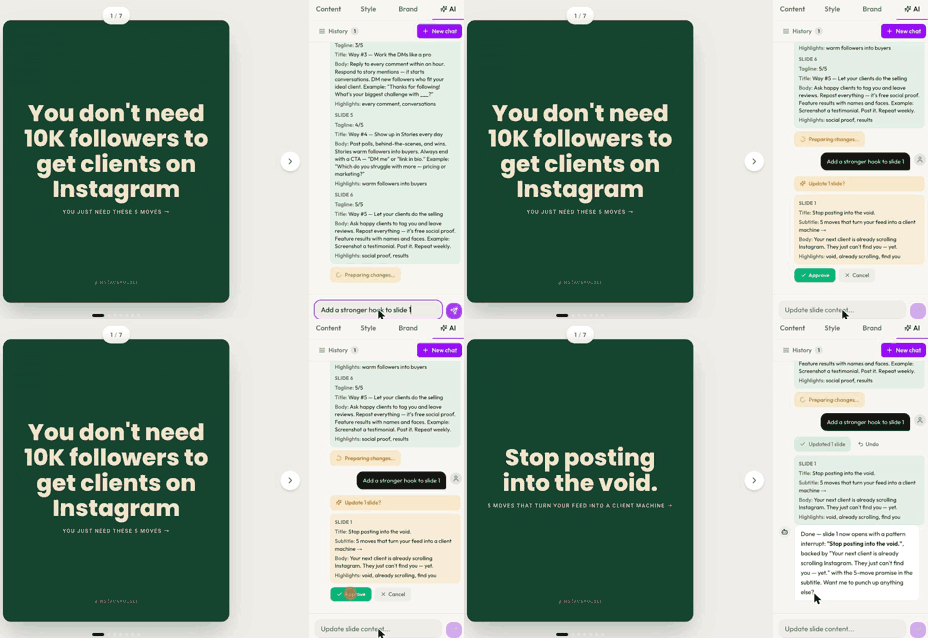
If you're stuck, ask the AI to "add a stronger hook to slide 1" and it rewrites only the cover:
Minutes 50–60: schedule all 12
Connect your Instagram professional account once. Then, for each carousel, click Schedule, add a short caption and pick a date. Three a week works well, for example Monday, Wednesday and Friday at the time your followers are most active (check Professional dashboard → Total followers → Most active times in the Instagram app).
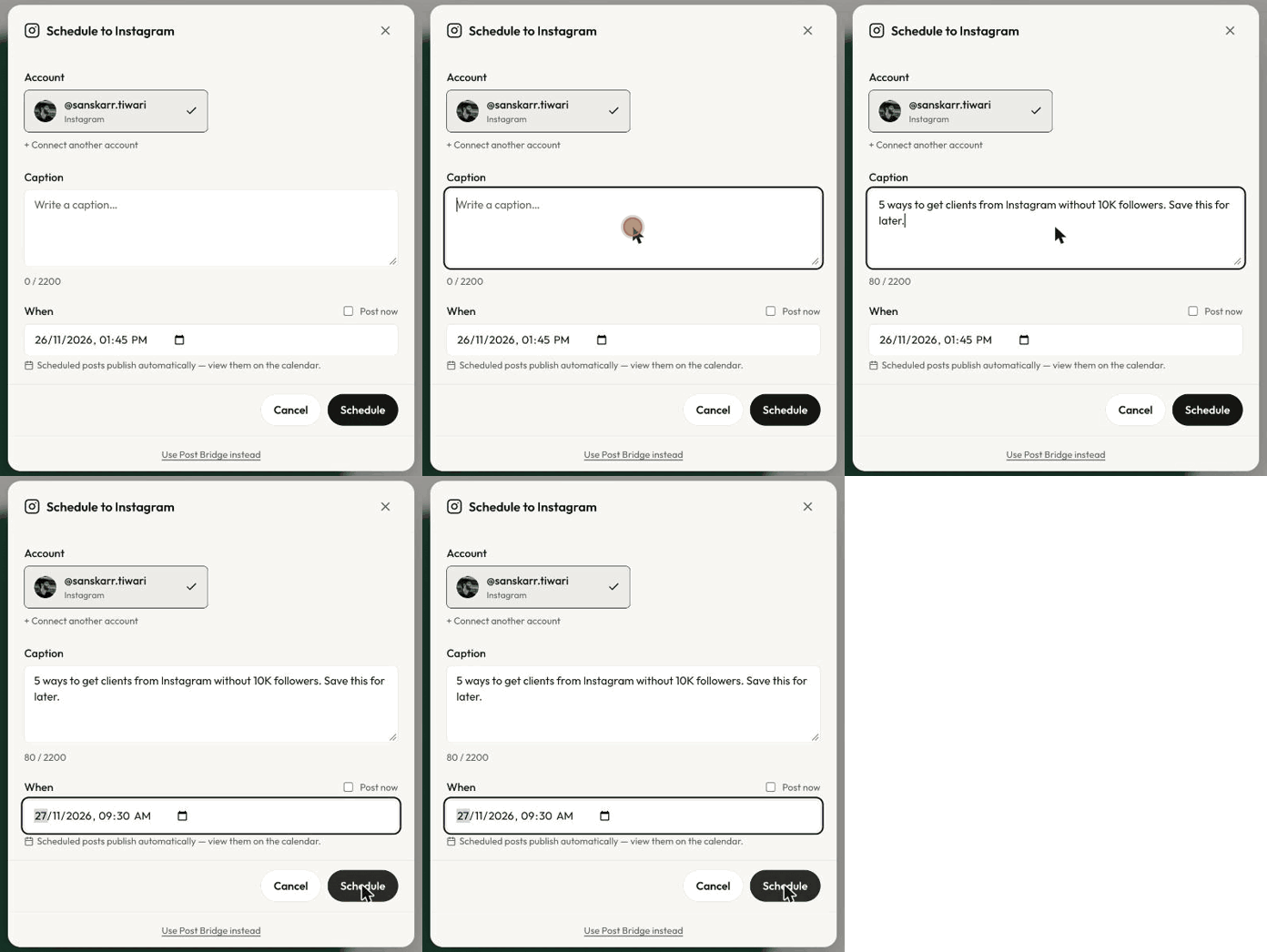
When you're done, the calendar shows your whole month. Every post goes out on its own, and you don't need to open the app on the day.
After the hour: check what worked, once a week
Spend five minutes every Friday looking at your posts' insights. Ignore likes and look at saves and shares: they tell you which topics people actually value. Next month, make more of those.
If one carousel clearly beats the rest, you can turn it into a Meta ad and put a small budget behind it.
Your next hour starts now
Block one hour on your calendar this week, open InstaCarousel, and work through the list above. By the end of it, your next month of Instagram is done.
Ready to create your own carousel?
Turn any content into professional Instagram carousels in seconds.
Start Creating — It's Free